Build 3D voxel art right in your browser
BLOX is a free online voxel builder: a 3D grid, a color palette and a stack of block shapes. Open it in a browser tab and start sculpting voxel models in seconds.
Play BLOX freeSee community builds →A voxel editor without the setup
No desktop app, no plugins. BLOX runs on WebGL in any modern browser. Orbit the camera, click to place voxels, paint them any color and undo freely.
More than cubes
Classic voxel art is all cubes — BLOX adds slopes, ramps, corners, spheres, domes, arches, cylinders and cones, so smooth curves and roofs don't need hundreds of tiny steps.
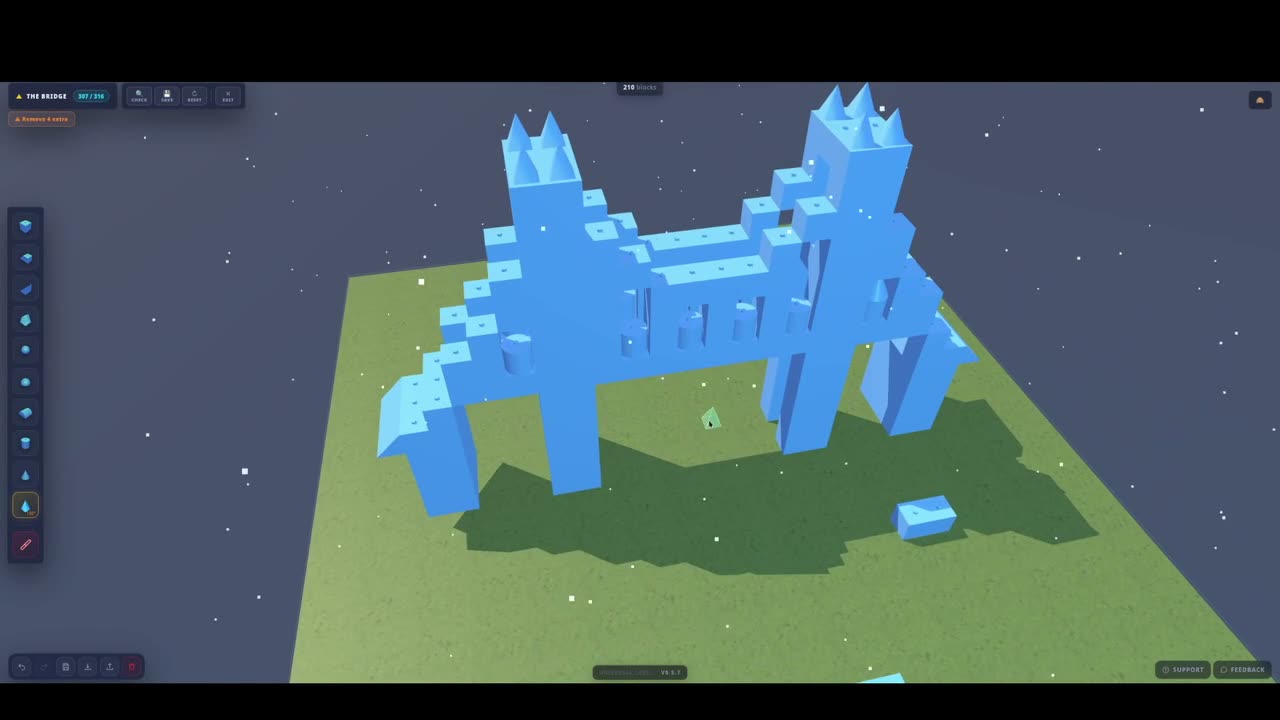
Textures and terrain
Apply textured skins (wood, stone, brick, metal, grass, sand, snow, water) to any block, and choose a terrain base for your plate. Great for dioramas and small scenes.
Tip: build hollow
Big voxel models stay fast and easy to edit when you only place the outer shell. A hollow sphere of leaves looks just as full as a solid one.
FAQ
Is this voxel builder free?
Yes, BLOX is free to use with no ads.
How big can a voxel model be?
Build plates go from 12 × 12 up to 96 × 96, with plenty of height.
Can I share my voxel art?
Yes — post it to the BLOX community feed or send a share link that opens your build in the game.
Does it work on a Chromebook?
Yes. BLOX runs entirely in the browser, so it works on Chromebooks, Windows, Mac and Linux.